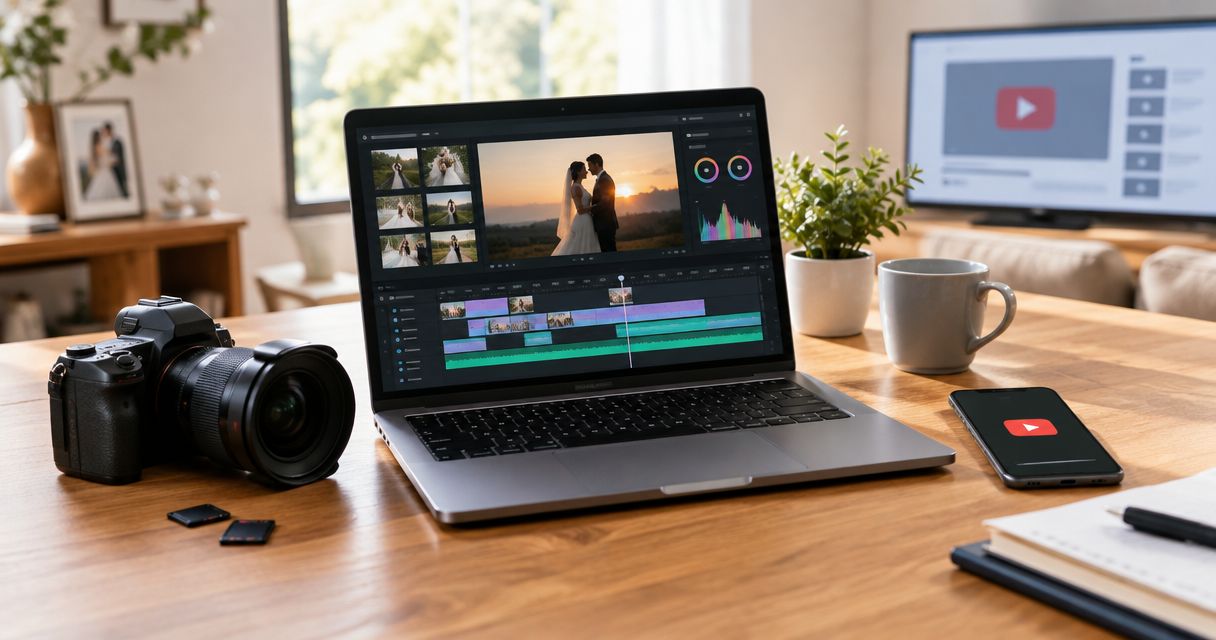
Uploading a finished wedding film straight to YouTube's default settings turns a private moment into a public one, gets flagged for copyright music, or buries the video where guests can't find it. Set the video to Unlisted, add a custom thumbnail and title before you hit publish, and share the direct link everywhere instead of relying on YouTube search or Google indexing.
- Upload the wedding film as Unlisted, not Public or Private, so only people with the link can watch it.
- Mute or replace copyrighted ceremony/reception music before uploading or Content ID mutes the audio worldwide.
- YouTube caps free uploads at 256 GB or 12 hours per file — a full wedding film workflow rarely hits that limit.
- A custom thumbnail and a two-line description with the couple's names get more plays than YouTube's auto-generated frame.
- Chapters in the description let guests skip to the vows or the reception speech without scrubbing the whole film.
Why this matters
A wedding film sitting on a hard drive or a Dropbox link that expires in 30 days does nothing for the couple six months later when they want to show a grandparent who missed the day. YouTube hosts the file permanently, streams instantly on any phone or smart TV, and lets you drop the same link into a text message, a wedding website, or a Facebook group without re-uploading anything.
The workflow below covers the full ceremony-to-reception film and the shorter highlight reel separately, because they need different privacy settings and different descriptions. Skip this distinction and you end up either with a 90-minute film blasted to the couple's entire Instagram following, or a 3-minute highlight clip locked behind a link nobody outside the wedding party ever sees.
Before you start
- A Google account tied to the couple or the studio — decide upfront whose account owns the channel, because transferring ownership later is a hassle.
- The final exported film file, ideally H.264 MP4 at the resolution it was edited in — re-encoding after the fact softens detail.
- The gotcha: if the ceremony or reception audio includes copyrighted commercial music, YouTube's Content ID system detects it during processing and can mute the track globally or restrict the video in certain countries — sort out music licensing or swap tracks before upload, not after.
Set up your YouTube upload settings
- Sign into the channel's Google account and go to YouTube Studio.
- Click Create, then Upload videos, and select the exported wedding film file.
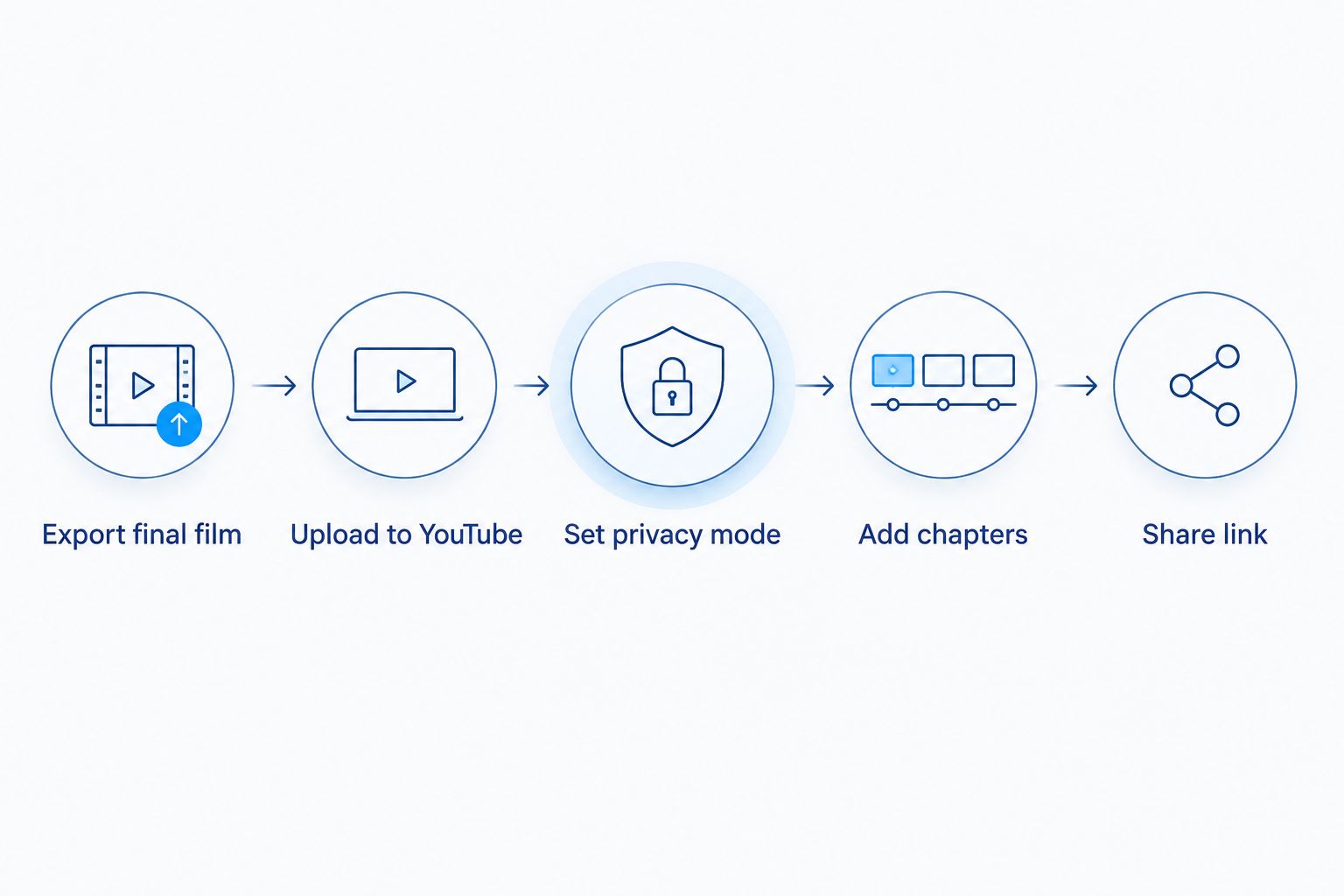
- While it processes, fill in the Title field — use the couple's names and the year, for example "Sarah & James Wedding Film — 2026."
- Add a Description with the venue, the date, and a short line about the day — this is what shows under the video and helps anyone searching their own Google Photos or email find it again.
- Upload a custom thumbnail: a still frame from the first kiss or the recessional reads better than whatever frame YouTube grabs automatically.
Expected result: the video shows as "Processing" in YouTube Studio, with your title, description, and thumbnail already saved before processing finishes.
Configure privacy and sharing settings
- On the same upload screen, find Visibility and select Unlisted — not Public, not Private.
- Public puts the film into YouTube search and recommendations; Private restricts it to specific YouTube accounts you manually add, which breaks the moment a guest without a Google account tries to watch. Unlisted sits in the middle: anyone with the link can watch, nobody finds it by searching.
- Click Save or Publish, then copy the video URL from the confirmation screen.
- Paste that URL into the couple's wedding website or send it directly — connecting the film link to the online gallery page keeps every deliverable in one place guests already know to check.
Expected result: opening the link in a private/incognito browser window plays the video without requiring sign-in — that's the test that confirms Unlisted is working correctly.
Optimize the film for guests, not for search
An Unlisted video doesn't need SEO, but it does need to be watchable on a shared family group text three years from now.
- Open Video details in YouTube Studio and add timestamps to the description, formatted as
0:00 Getting ready,12:30 Ceremony,48:00 First dance. - YouTube auto-converts timestamps into a chapter bar under the video once you save — guests can jump straight to the vows instead of scrubbing 90 minutes of footage.
- Turn off Comments and Ratings under the Community tab if the couple wants the film shared without a comment section attached.
- Leave Allow embedding turned on (it's the default) so the video can play directly inside a wedding website instead of forcing a redirect to YouTube.
Expected result: the description shows a clickable chapter list, and the film plays inline on any page it's embedded into.
Full film vs. highlight reel: two different workflows
A ceremony-to-reception film and a 3-to-5-minute highlight reel don't belong on the same settings. The full film goes Unlisted and gets shared directly with family who were there or couldn't attend. The highlight reel is built for public sharing — Instagram, Facebook, and a public YouTube upload the couple can actually post and tag.
| Full wedding film | Highlight reel | |
|---|---|---|
| Typical length | 30–120 minutes | 3–5 minutes |
| Recommended privacy | Unlisted | Public |
| Where it gets shared | Direct link, wedding website, family group chat | Instagram, Facebook, YouTube search |
| Music licensing risk | Higher — ceremony audio, DJ tracks | Lower if using pre-cleared highlight music |
If the couple wants the highlight reel repurposed for Instagram Reels specifically, the reel-focused sharing workflow covers the aspect ratio and caption steps that don't apply to a YouTube upload. For couples who want a shareable teaser out within 24 hours of the reception, the social highlight reel guide covers turnaround expectations for that shorter format.
A wedding film uploaded as Unlisted with a custom thumbnail and chapters is the workflow that keeps the day watchable for family without handing it to YouTube's public search index.
Troubleshooting
- Video stuck on "Processing" for hours — 4K files take longer than 1080p; a two-hour 4K film can take several hours to finish processing depending on YouTube's server load. Leave the tab open or check back later rather than re-uploading.
- Audio muted or video blocked in some countries — Content ID matched a copyrighted track. Open the Copyright tab in YouTube Studio to see which section triggered it, then trim or replace that audio segment.
- Guests say the link doesn't work — confirm the visibility setting is Unlisted, not Private; Private videos require the viewer to be signed into a Google account you've manually granted access to.
- Video looks compressed or blurry — export at the same resolution the film was edited in; re-encoding a 1080p export up to 4K doesn't add detail, it just adds file size.
- Thumbnail won't upload — custom thumbnails require a verified YouTube channel (phone number confirmed in account settings); verify the channel first if this option is greyed out.
Customize your workflow
Once the YouTube upload is live, extend it instead of calling the job done. Embed the Unlisted link on the couple's wedding website next to the photo gallery so guests land in one place for everything from the day. If the couple filmed a same-day edit for the reception, the same-day edit workflow walks through the tighter turnaround that format needs versus the full film covered here.
For couples planning ahead rather than looking back, David Suns Weddings books videography coverage that's edited with this delivery workflow already in mind — chapters, thumbnails, and privacy settings sorted before the final file ever reaches YouTube.
Book wedding video coverage for 2026
Get a film edited and delivered ready for this exact sharing workflow.
FAQ
What's the best YouTube privacy setting for a wedding film?
Unlisted is the best setting for a wedding film in 2026 — anyone with the link can watch without signing into a Google account, and the video never appears in YouTube search or recommendations.
Is YouTube better than Vimeo for sharing a wedding film?
YouTube plays instantly on more devices without a subscription and handles longer files at no cost, while Vimeo offers cleaner playback controls with no ads — most couples in 2026 pick YouTube for its reach and free hosting.
How much does it cost to upload a wedding film to YouTube?
Uploading and hosting a video on YouTube is free regardless of file length or resolution, up to the platform's 256 GB and 12-hour limits.
Why does my wedding video get muted on YouTube?
YouTube's Content ID system detects copyrighted music in the ceremony or reception audio and mutes or restricts that section automatically. Check the Copyright tab in YouTube Studio to identify the exact clip and replace or trim it.
Can guests download the wedding film from YouTube?
YouTube doesn't offer a built-in download button for viewers, so guests can stream the Unlisted link but can't save a local copy directly from the platform. Provide a separate download link if offline access matters to the couple.
Should the full wedding film be Public or Unlisted?
Unlisted, not Public — Public visibility puts a personal wedding film into YouTube's search index and recommendation system, which most couples don't want for footage of their guests and family.
How long can a wedding film be on YouTube?
YouTube allows videos up to 12 hours long and 256 GB per file, well above the length of any full wedding film, so there's no need to split the ceremony and reception into separate uploads.
Can I embed a YouTube wedding film on my wedding website?
Yes — Unlisted videos allow embedding by default, so the film plays inline on a wedding website without redirecting guests to YouTube's site.
One last thing
Most couples forget to turn off comments before sending the Unlisted link to extended family — and an open comment section on a video with 40 relatives watching turns into a group chat nobody asked for. Turn off Comments in the Community settings tab before the link goes out, not after the first reply shows up.