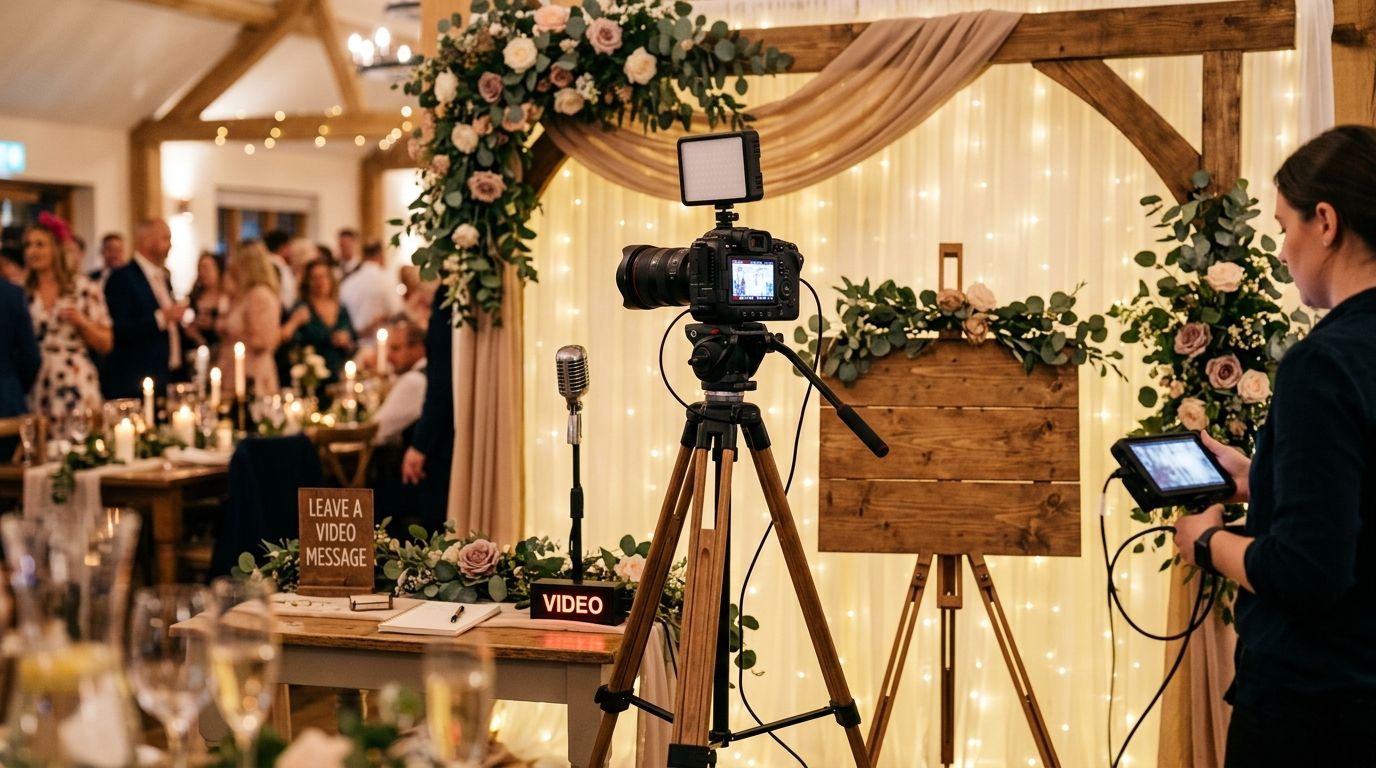
A wedding video message booth invites guests to record short video greetings for the couple instead of writing a line in a guestbook that gets misplaced in a drawer. This guide covers how to plan the booth for a 2026 wedding, what to ask guests, and how the footage should turn into something you'll actually rewatch.
- A wedding video message booth captures guest greetings on camera, and David Suns Weddings bundles it into full videography coverage instead of a separate rental.
- Block 45-90 minutes during cocktail hour so the booth doesn't compete with dinner or the first dance for attention.
- Open-ended prompts beat yes-or-no questions for usable footage in the final video message booth reel.
- A phone on a tripod works for small guest lists; a directional mic and second shooter matter once the room gets loud.
- Edited highlight reels get watched again and again; raw unedited clips from the booth mostly sit in a folder unopened.
Why a video message booth matters for this segment
Guests you invited but never handed a microphone rarely get a moment to say anything on record. A wedding video message booth solves that without adding a formal toast segment to your reception timeline.
For couples planning 2026 weddings, a video booth sits next to the photo booth and guestbook as a mid-priced add-on, and the appeal is simple: video keeps a person's voice, face, and tone instead of a line of handwriting you'll squint at later. Couples with guests flying in from out of town, or with grandparents who can't attend the whole weekend, get the most value from this format because it captures people a camera crew might otherwise miss.
How to plan a wedding video message booth
Pick a booth location with good light and quiet sound
Where you put the booth decides whether the audio is usable six months later.
- Position it away from DJ speakers and the bar line so the mic doesn't pick up bass and ice clinking.
- Use a spot near natural window light, or add a small LED panel if the reception runs past sunset.
- Avoid corners with bare walls or glass — they bounce room noise straight into the recording.
- Keep the booth visible from the main reception area so guests remember it's there.
Write prompts that get more than one-word answers
"Any words for the couple?" produces "congratulations" and nothing else. Better prompts get better footage.
- Ask for a specific memory: "Tell us about the first time you met the couple."
- Add a forward-looking question: "What's one thing you wish someone told you before your own wedding day?"
- Include a lighter prompt for guests who freeze on sentimental ones: "Give the couple your best piece of terrible advice."
- Post 2-3 prompts on a small sign so nobody stares blankly at the lens.
Decide between a DIY setup and a professional videographer add-on
A phone on a tripod costs nothing beyond the phone you already own, and it works fine for a guest list under 50. Past that, the tradeoffs start to matter.
- A dedicated attendant catches problems — a dead battery, full storage — before they cost you footage.
- A guestbook-booth rental company handles the hardware but usually hands you raw files, not an edited reel.
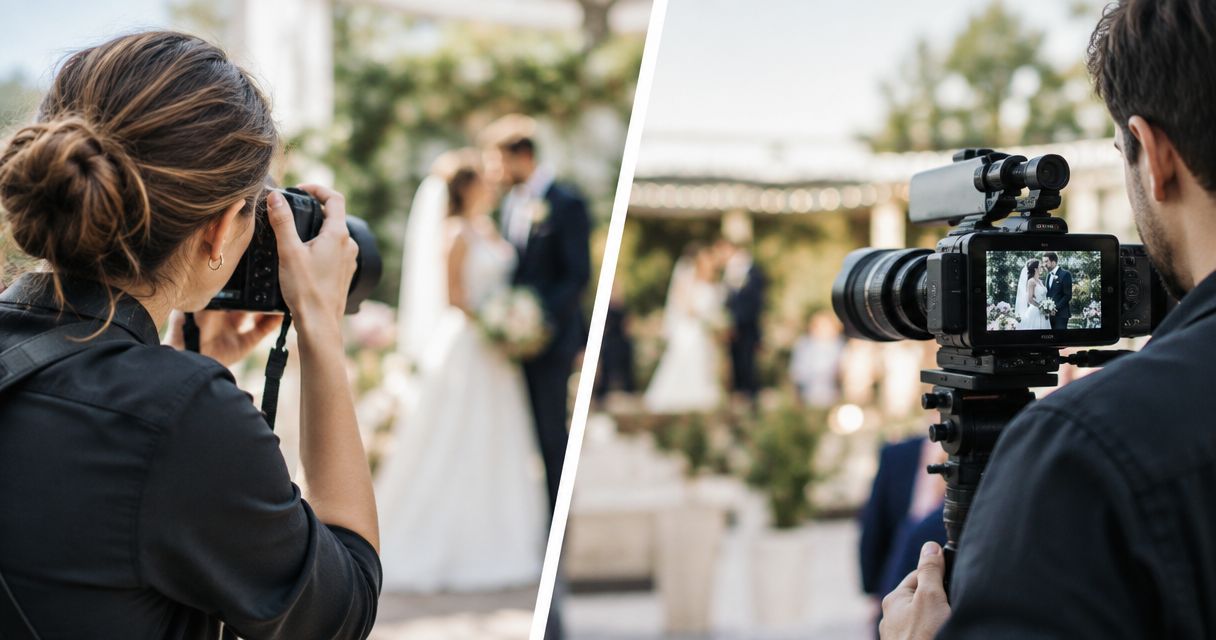
- A videographer add-on, the kind built into full-day packages, brings a directional mic, a second shooter, and editing time a phone alone can't match.
- Disposable camera guestbooks skip video entirely — static photos only, no audio.
Block the right amount of time in your day-of timeline
Cocktail hour is the strongest window because guests are already mingling and not yet seated for dinner.
- Plan for 45-90 minutes; shorter windows cut off guests who arrive late to the reception.
- Never run the booth during dinner service — servers and seated guests can't reach it, and it competes with the meal.
- If your reception includes speeches, close the booth 15 minutes before so the line clears out.
- Reopen it briefly during dancing for guests who skipped it earlier.
Brief an attendant or use clear signage to keep the line moving
A booth with no one managing it turns into a five-minute novelty that guests forget about by the second course.
- One attendant per roughly 50 guests keeps the line short enough that people don't walk away.
- A sign with the prompt questions cuts down on guests asking "what do I even say" mid-recording.
- Set a soft time limit — 30 to 60 seconds per message — so one chatty guest doesn't stall the queue.
- Keep a charged backup device on hand in case the primary camera fills up.
Capture messages from people who can't attend the wedding
Grandparents overseas, a sibling on deployment, a friend who couldn't get time off — a video message booth extends past the guest list on the day.
- Send the same prompt list to family who can't attend so their guest reaction footage matches the tone of clips shot in person.
- Ask them to record on a phone, in landscape, with a quiet room behind them.
- Collect these clips at least two weeks before the wedding to leave time to check audio quality.
- Splice them into the same reel as in-person messages instead of a separate video nobody watches twice.
Edit raw clips into a message reel guests will actually rewatch
The booth isn't the deliverable — the edit is. Raw footage from a two-hour booth session runs long, uneven, and mostly unwatchable start to finish.
- Cut each message down to its strongest 10-20 seconds instead of keeping the full take.
- Order clips by energy, not by recording time, so the reel builds instead of flatlining.
- Add name captions so anyone watching later knows who's speaking.
- Deliver the reel as its own file, separate from the wedding video shot list coverage, so it's easy to share on its own.
Book video message booth coverage
See how guest messages fit into full wedding-day video coverage for 2026 dates.
Comparing your video message booth options
| Option | Best for | Key limitation |
|---|---|---|
| DIY phone + tripod | Couples on a tight budget with under 50 guests | No backup audio, no editing, footage often gets stuck on a personal phone |
| Guestbook booth rental company | Couples who want dedicated hardware without booking a videographer | Rarely edits the footage into a finished reel |
| Videographer add-on | Couples already booking video coverage who want one edited product | Needs to be scheduled into the day-of timeline in advance |
| Disposable camera guestbook | Couples who want a low-tech, no-power option | No video or audio — static photos only |
Verdict: a videographer add-on wins for couples who want one edited reel and don't want to manage separate hardware and a separate edit; a DIY phone setup is fine for a small backyard wedding with under 50 guests. Skip disposable cameras if video is the point — they don't record any.
“A video message booth without a clear prompt is just a nervous guest and a camera.”
Common mistakes couples make with a video message booth
- Skipping a written prompt and expecting guests to improvise — most people freeze without a question in front of them.
- Running the booth during dinner, when servers and seated guests can't reach it.
- Placing the booth too close to the DJ speakers, which ruins the audio on every single clip.
- Forgetting to assign anyone to manage the queue, so the line disappears within ten minutes.
- Treating raw footage as the final product and skipping the edit — unedited clips sit in a folder and never get watched again.
FAQ
What is a wedding video message booth?
A wedding video message booth is a dedicated recording spot where guests leave short video greetings for the couple instead of writing in a guestbook. It's typically set up during cocktail hour and edited into a highlight reel after the wedding.
How much does a wedding video message booth cost in 2026?
Cost depends on whether it's a standalone rental or bundled into videography coverage. Ask for a quote that folds the booth into your existing video package rather than paying separately for equipment and a second edit.
Is a video message booth better than a guestbook?
A video message booth captures tone, facial expressions, and voice that handwriting can't. Couples who want a rewatchable keepsake usually prefer video; couples who want something physical to display still favor a written guestbook.
How long should a video message booth run during the reception?
Plan for 45 to 90 minutes, timed to cocktail hour. Running it during dinner service creates a scheduling conflict with servers and seated guests.
Can family members who miss the wedding still leave a video message?
Yes. Send the same prompt questions to relatives who can't attend and ask them to record on a phone in a quiet room. Collect these clips at least two weeks ahead so there's time to check the audio before editing.
Do I need a professional videographer for a video message booth?
Not always — a phone on a tripod works for guest lists under 50. Past that, a professional setup with a directional mic and a second shooter catches audio and technical issues a phone alone misses.
What should the video message booth prompts ask?
Ask for a specific memory or piece of advice instead of an open-ended "any words for the couple." Specific prompts get longer, more usable answers for the final edit.
Should the booth footage be delivered separately from the main wedding film?
Yes. A short, standalone message reel gets shared and rewatched far more than a segment buried inside a longer wedding film.
One last thing
The most rewatched clips from a wedding video message booth are usually the shortest ones — trimmed to 15-20 seconds — because guests trail off without a follow-up question once the initial thought runs out. Cut ruthlessly in the edit rather than keeping every second of a two-minute ramble; a tight reel gets watched start to finish, and a long one gets skipped after the first three faces.