An engagement teaser video is a 30-to-90-second cut built from your engagement session and released on Instagram, TikTok, or Facebook before the full gallery drops — its job is to get the couple's news watched, not just seen. Couples turning to social media for their announcement need a different edit than a slideshow made for a wedding website: shorter, vertical, and paced for a scroll instead of a living room.
- An engagement teaser video runs 30-90 seconds and is cut for vertical platforms, not the wide-screen edit used for wedding websites.
- Shoot in 9:16 from the first take — reframing horizontal footage for Instagram or TikTok crops out hands, rings, and backgrounds.
- Plan for roughly 60-90 minutes of usable footage per finished minute of teaser; engagement sessions run 60-90 minutes total.
- The first three seconds decide whether the video gets watched — open on motion, not a static pose.
- David Suns Weddings can capture an engagement teaser alongside a standard engagement photo session — ask before the session, not after.
Why engagement teaser videos matter for social media announcements
A photo gallery works for a wedding website. It does not work the same way in a feed built for motion. Instagram Reels and TikTok reward video over static images in how they're surfaced, and an engagement announcement posted as a still photo competes with every other post in a follower's scroll — a moving clip with sound holds attention longer than a swipe-through carousel.
Couples booking David Suns Weddings for engagement coverage are increasingly asking for a video component specifically because the announcement is going on social first, print or website second. That changes the brief: the video needs to work muted (captions on), it needs to work vertical (phone-first), and it needs a hook before the three-second mark or the algorithm and the viewer both move on.
How to plan an engagement teaser video for social media
Pick a location that shoots well vertically
Horizontal-friendly backdrops — wide fields, long driveways — waste space in a 9:16 frame. Vertical framing rewards height and depth.
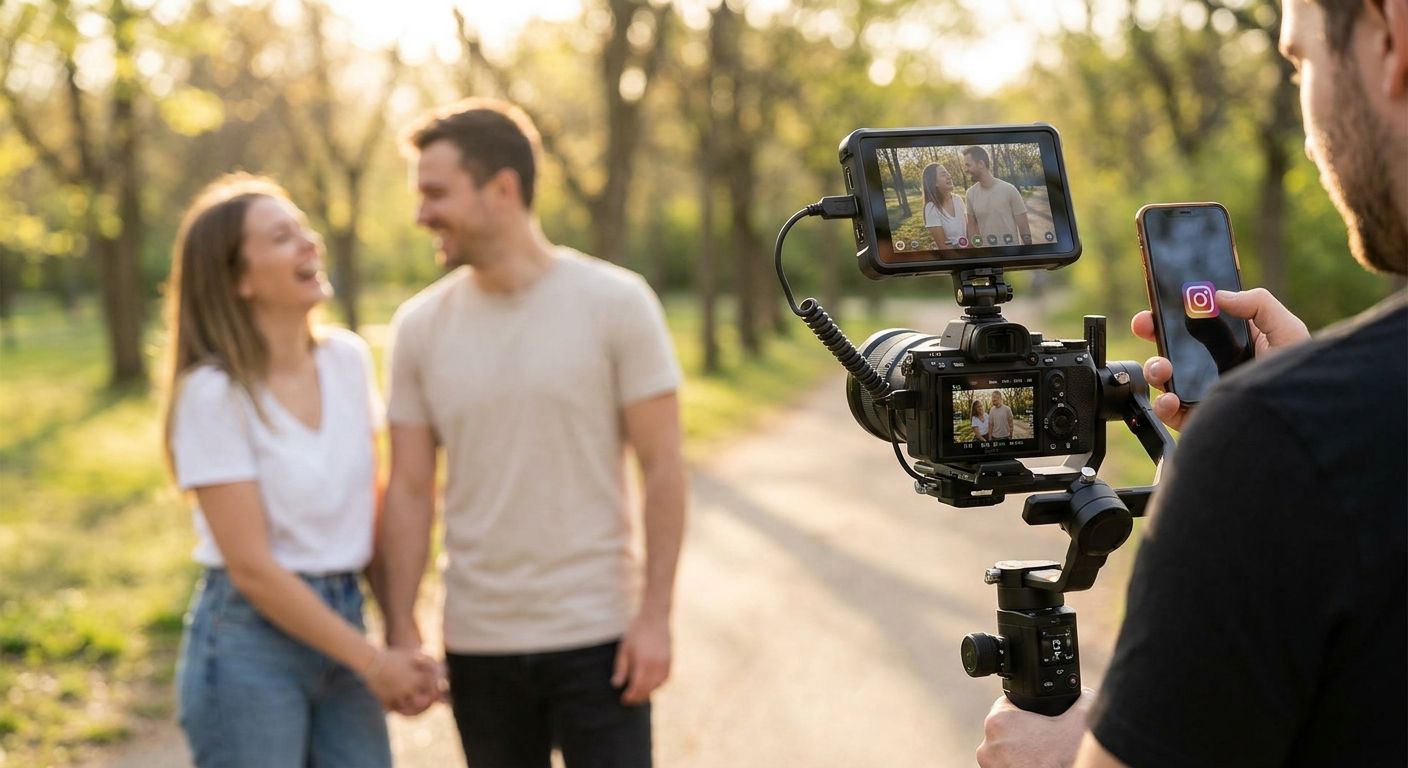
- Tree-lined paths, staircases, or archways that fill a tall frame
- City blocks with visible signage or skyline for scale
- Water or open sky as a clean vertical background behind the couple
- Locations you can walk through, not just stand in
Frame every shot in 9:16 from the first take
Cropping a horizontal clip down to vertical after the fact loses the couple to the edges of the frame or cuts hands and rings out entirely.
- Confirm with your videographer that 9:16 is the primary capture format, not an afterthought
- Ask for at least one true walking shot, not just posed stills turned into video
- Request a phone-in-hand test frame before the real take starts
- Keep wardrobe details (rings, boutonniere, veil) inside the safe zone of the frame
Build a shot list around motion, not poses
A teaser edit needs footage that moves — walking, laughing, a spin, a hand on a shoulder. Static poses that work for photography read flat in a 60-second cut.
- Walking toward camera, then past it
- A laugh triggered by a real moment, not a cue to "laugh now"
- A slow spin or dip for a mid-video beat
- A close, quiet moment for the final 5-10 seconds
Capture usable audio on location
Most teasers run over licensed music, but a few seconds of real dialogue or laughter adds authenticity a music bed can't. Ask before the session whether your videographer captures ambient sound.
- A short line from the proposal story, if it's being recreated
- Genuine laughter, not staged reactions
- Wind and outdoor ambiance kept low enough not to fight the music
Edit to a hook in the first three seconds
The strongest engagement teasers front-load the moment a scrolling viewer would stop for — a spin, a close embrace, a ring shot — then tell the rest of the story after the hook lands.
- Open on motion or a close detail shot, never a wide establishing shot
- Save the slowest, quietest moment for the final beat, not the first
- Cut on the music's beat drops rather than evenly spaced intervals
- Keep the whole edit under 90 seconds; most social teasers run 30-60
Export multiple aspect ratios and add captions
One export does not cover every platform. Instagram Reels, Instagram feed posts, and Facebook link previews all crop differently, and most viewers watch with sound off.
- 9:16 export for Reels, TikTok, and Stories
- 1:1 or 4:5 export if it's also going in a static feed post
- Burned-in captions for the handful of spoken lines
- A separate thumbnail frame chosen for the feed preview, not auto-selected
Time the release across platforms
Posting the same teaser everywhere at once flattens its reach. Staggering by a day or two lets each platform's audience discover it independently instead of competing for the same first-hour engagement window.
- Post the primary cut to the platform your audience uses most first
- Hold the second platform's post for 24-48 hours later
- Reuse the same edit; change only the caption and hashtags per platform
Ask about teaser video for your session
Find out if video capture can be added to your engagement photo booking.
Comparing your options for an engagement teaser
| Option | Best for | Key limitation |
|---|---|---|
| Smartphone self-shot | Couples on a tight timeline with no budget for hire | Flat framing, no color grading, harder to hit a real hook |
| Freelance videographer add-on | Couples who already booked a photographer and want a quick supplement | Video capture is secondary to stills, less shot-list control |
| Dedicated engagement videography session | Couples who want the teaser as the main deliverable | Requires a separate booking slot from the photo session |
| Combined photo + video engagement session | Couples who want both formats from one shoot | Fewer setups possible per format since time is shared |
Verdict: if the teaser is going straight to social media as the announcement, a combined photo-and-video engagement session gets you both a gallery and a shareable cut from one booking — prepare for your engagement session the same way you would for a photo-only shoot, then flag the video request before the day so the shot list can include the movement a teaser needs.
Common mistakes couples make with engagement teasers
- Shooting horizontal-only, then cropping for vertical. The crop cuts hands, rings, and half the background — plan for 9:16 from the first take.
- Opening on a static pose instead of motion. A still opening loses a scrolling viewer inside the first three seconds.
- Posting one export across every platform. Instagram, TikTok, and Facebook crop differently; one file rarely fits all three cleanly.
- Ignoring platform music licensing. A song that plays fine in a private gallery can get muted or flagged when uploaded natively to a social platform.
- Packing in too many locations. Three or four location changes inside a 60-second cut reads busy instead of intentional — one strong location edited well beats three rushed ones.
A studio experienced in social media highlight reel editing applies the same pacing logic to a short engagement teaser as to a full wedding highlight film — front-load the hook, cut on the beat, deliver vertical first.
FAQ
What's the best length for an engagement teaser video?
Most engagement teasers run 30 to 60 seconds, with 90 seconds as a practical ceiling for Instagram Reels. Shorter cuts hold attention better in a scrolling feed than longer ones.
How much footage do I need for a 60-second teaser?
Plan on roughly 60-90 minutes of usable raw footage for every finished minute of teaser. A standard 60-90 minute engagement session provides enough coverage for a single 30-60 second cut.
Is engagement videography different from engagement photography?
Yes. Photography is built around posed stills and stillness between frames, while videography needs continuous motion, walking, and usable audio to cut a working teaser. The two disciplines shoot the same day differently.
Can I get a teaser video without booking a full video package?
Some studios will add short-form video capture onto an engagement photo session without a full wedding-day video package. Ask directly before booking since it's not always offered as a standalone add-on.
What's the best time to post an engagement teaser?
Stagger the release by platform rather than posting everywhere at once. Post to your primary platform first and hold the second platform's post for a day or two so each gets its own discovery window.
Do I need a separate videographer if I already booked an engagement photographer?
Not necessarily — some photographers capture short video clips during a photo session, but the shot list needs to be planned for motion in advance. Confirm capability and format before the shoot, not after.
How long does editing an engagement teaser take?
Turnaround varies by studio and season; ask directly for a current estimate rather than assuming a standard timeline. Confirm delivery format (9:16, captions, thumbnail) as part of that timeline.
What aspect ratio should I request for social media?
Request 9:16 as the primary export for Instagram Reels, TikTok, and Stories, with a 4:5 or 1:1 crop if the video is also going into a static feed post. One export rarely fits every placement cleanly.
One last thing
The detail most couples skip is the safe zone: platforms overlay their own captions, usernames, and icons on top of vertical video, and any text or ring shot placed near the edges of a 9:16 frame gets covered. Ask your videographer to keep key details centered in the frame before the edit, not fixed afterward — it's a five-minute conversation on shoot day that saves a re-edit in 2026.