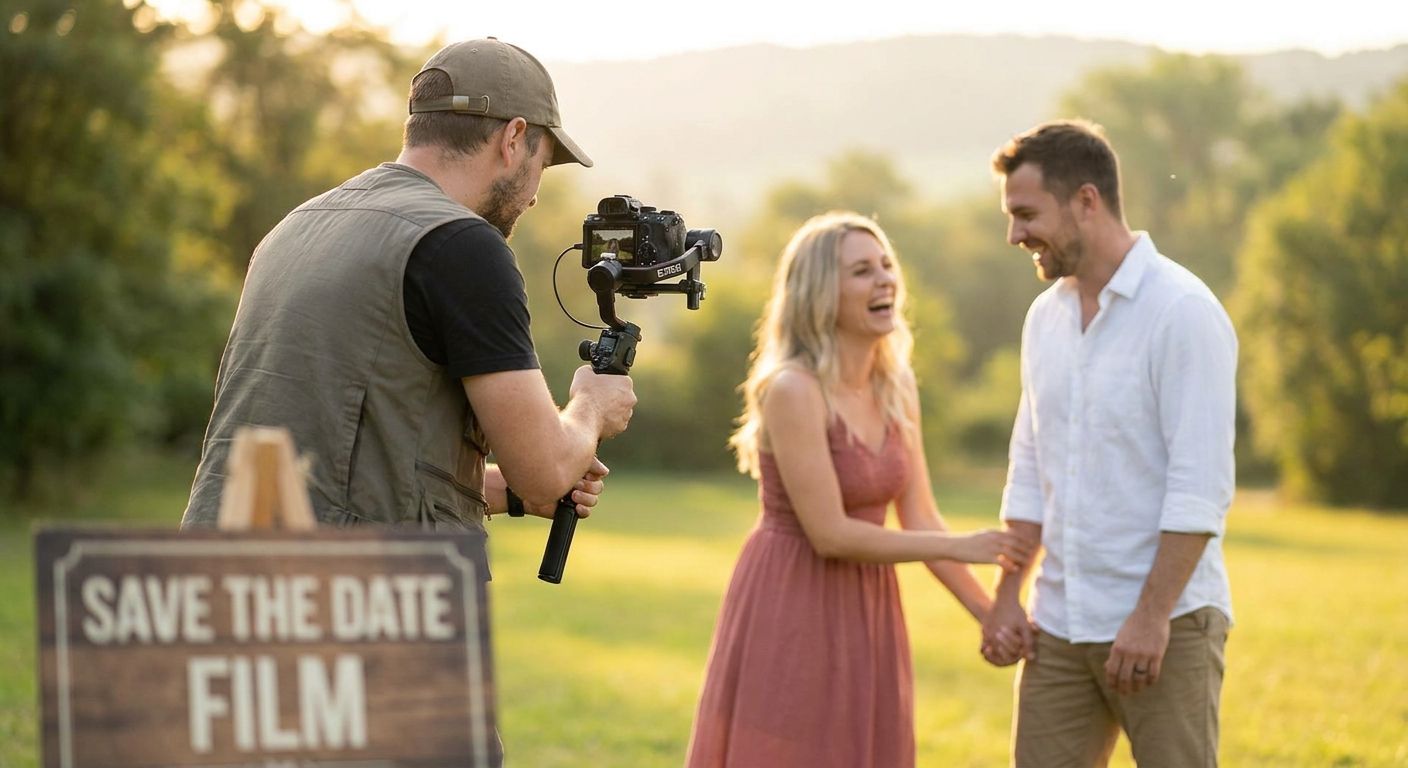
A save the date videographer captures a short film — usually 30 seconds to 2 minutes — announcing your wedding date to friends and family before formal invitations go out, with the goal of building excitement and giving guests a reason to save the weekend. Couples booking this service need faster turnaround than full wedding coverage and a video built for sharing on Instagram, TikTok, or a wedding website, not for a theater screen.
- A save the date videographer delivers a shareable 30-90 second film, not a full ceremony recording.
- Book 6-9 months before the wedding so the video reaches guests before invitations mail.
- David Suns Weddings builds save-the-date films around engagement sessions already booked for photography.
- DIY smartphone clips work for a tight budget; hired video wins on lighting, sound, and pacing.
Why save-the-date videography matters for engaged couples
A save the date videographer solves a timing problem photography alone doesn't: guests scroll past a still photo in two seconds but watch a moving, sound-tracked clip three or four times before sharing it. Couples planning destination weddings or weekday ceremonies lean on video specifically because it signals urgency — a moving image reads as "this is really happening" in a way a posed photo doesn't.
The segment also has a shorter shot clock than full wedding videography. A ceremony film can wait until after the big day; a save-the-date has to exist, edit, and post before invitations go out, which usually means locking a videographer 6 to 9 months ahead of the wedding date rather than the 12-18 months couples budget for full-day coverage.
Step 1: Book your save-the-date videographer early
Most couples wait until they've picked a photographer and forget video needs its own calendar slot. Save-the-date shoots cluster in spring and early fall, the same weekends everyone wants for engagement sessions.
- Confirm the shoot date at least 6-9 months before the wedding so editing and printing timelines don't collide
- Ask whether the videographer pairs the shoot with your engagement photography session to save a second outfit change and travel day
- Check turnaround time in writing — a 3-4 week delivery window is standard for a short-form edit
- Lock the date with a signed agreement, not a verbal hold, once you've reviewed sample films
Step 2: Choose a location that matches your wedding style
The backdrop should hint at your wedding, not compete with it. A couple marrying in a barn doesn't need a downtown skyline in their save-the-date film, and vice versa.
- Walk the location at the same time of day you plan to shoot, to check light direction and crowd noise
- Pick somewhere with at least two distinct backdrops so the edit has visual variety in under 90 seconds
- Scout for a home engagement session if you want something personal and low-cost — your own space, no permit, no travel
- Confirm permit rules for public parks, beaches, or city landmarks before the shoot date, not the morning of
Step 3: Plan outfits and props before the shoot
Wardrobe reads differently on video than in a still photo — movement, wind, and fabric texture all show up on camera in ways a photo freezes past.
- Choose two outfits maximum; more changes eat into limited shoot time and slow the edit
- Avoid busy patterns and logos, both of which pull focus on a moving frame
- Bring one prop tied to your story — a pet, a bike, a boat, a specific location detail — rather than generic signage
- Test movement (walking, spinning, a slow dance) in your outfit before the shoot day to rule out anything that restricts motion
Step 4: Decide on video length and format up front
A save-the-date film runs shorter than any other wedding video product, and the platform you're posting to should dictate the cut.
- Instagram Reels and TikTok favor a 15-30 second vertical cut with text overlay for the date
- A wedding website or email invite supports a longer 60-90 second horizontal version
- Ask your videographer for both a vertical and horizontal export in the same package rather than paying for a second edit later
- Review how to prepare for an engagement photo session if the same shoot day covers both stills and video, so timing doesn't run short
Step 5: Add aerial or drone footage if the location supports it
Drone footage isn't required for a save-the-date film, but it changes the opening shot from "couple standing somewhere" to "couple in a place worth traveling to."
- Confirm the location allows drone flights — many parks and private venues restrict it
- Use drone shots as the establishing frame in the first 3 seconds, not scattered throughout a 30-second edit
- Skip it entirely for indoor or home sessions where there's nothing aerial to capture
- Budget for it as an add-on rather than assuming it's bundled into a base save-the-date package
Step 6: Edit for the platform, then share
The edit is where a hired videographer earns the fee — color correction, music sync, and pacing that a phone video can't replicate without hours of manual work.
- Sync cuts to the beat of a music track rather than editing on arbitrary timing
- Add the wedding date as on-screen text in the first 5 seconds so viewers don't have to wait for it
- Export square, vertical, and horizontal versions if you plan to post across Instagram, a wedding website, and email
- Ask about a social media highlight reel cut if you want a second, shorter teaser separate from the main save-the-date film
Step 7: Pair the video with a printed or digital announcement
A video alone doesn't replace the printed save-the-date some guests still expect, especially older relatives who won't see an Instagram post.
- Pull a single still frame from the video for the printed card design, keeping visual consistency across formats
- Include a QR code or short link on the printed card that opens the video directly
- Send the video 1-2 weeks before the printed cards arrive by mail, so digital guests get the news first
- Keep the printed card simple — date, location, "invitation to follow" — and let the video carry the emotional weight
Book your save-the-date session
Pair your engagement shoot with a short video film built for sharing.
Comparing your save-the-date video options
| Option | Best for | Key limitation |
|---|---|---|
| Hired save-the-date videographer | Couples who want a polished, sound-tracked film matched to their wedding style | Requires booking 6-9 months out and coordinating a shoot day |
| DIY smartphone video | Couples on a tight timeline or budget who are comfortable self-editing | No professional color grading, lighting, or audio mixing |
| Photo-only announcement | Couples who prioritize video for the wedding day itself, not the announcement | Loses the shareability advantage a moving clip has on social platforms |
| Same-day edit at the wedding, skip a separate save-the-date | Couples who'd rather spend budget on wedding-day video only | Guests get no advance video content before the invitation stage |
A hired save-the-date videographer wins for couples who want a shareable, professionally edited clip ready before invitations go out — DIY video wins only when budget rules out anything else.
Common mistakes couples make with save-the-date videos
- Booking too late. Waiting until 2-3 months before the wedding to book a save-the-date videographer usually means the film arrives after invitations already mailed.
- Shooting only a horizontal video. Couples who skip the vertical export lose most of their Instagram and TikTok reach, since both platforms default to full-screen vertical playback.
- Overloading the edit with locations. Cramming four backdrops into a 30-second clip makes the video feel rushed instead of intentional — two locations is the practical ceiling.
- Forgetting the date on screen. A beautifully shot video that never displays the actual wedding date in text leaves guests guessing, which defeats the point of the format.
- Treating video and photo as separate budget lines with separate shoot days. Combining both into one session, like a home engagement session, cuts down on outfit changes, travel, and total cost.
FAQ
How much does a save the date videographer cost in 2026?
Pricing varies by videographer, location, and edit length, so check current package details directly with your chosen videographer. Bundling the video shoot with an engagement photography session often reduces total cost versus booking two separate shoots.
How far in advance should I book a save the date videographer?
Book 6-9 months before your wedding date. This leaves enough time for the shoot, a 3-4 week edit turnaround, and distribution before invitations mail.
Is a save the date videographer better than a photographer for announcements?
Video and photo serve different purposes — video drives higher engagement on social platforms, while a printed photo card still reaches guests who don't use social media. Most couples in 2026 use both.
What's the ideal length for a save-the-date video?
15-30 seconds works best for Instagram Reels and TikTok, while a 60-90 second cut suits a wedding website or email invite. Ask for both exports in one package.
Can I combine my engagement photos and save-the-date video into one shoot?
Yes — most videographers and photographers coordinate a single shoot day for both, which cuts down on outfit changes and location scouting time.
Do I need drone footage for a save-the-date video?
No. Drone footage adds a cinematic opening shot but isn't required — many home and indoor sessions skip it entirely with no loss of impact.
How is a save-the-date video different from a wedding highlight reel?
A save-the-date video runs before the wedding to announce the date, while a highlight reel is edited after the ceremony to recap the full day. They use different footage, timing, and purpose.
Should I send the video before or after printed save-the-date cards?
Send the video 1-2 weeks before printed cards arrive by mail. Digital guests get the news first, and the printed card can reference the video with a QR code.
One last thing
The single biggest scheduling mistake in 2026 isn't the shoot itself — it's couples forgetting that editing takes 3-4 weeks on top of the shoot day, which pushes a "6 months out" booking dangerously close to invitation deadlines if the date slips even by a week. Build in a buffer week before you commit to a shoot date.